

Snapmaker 2
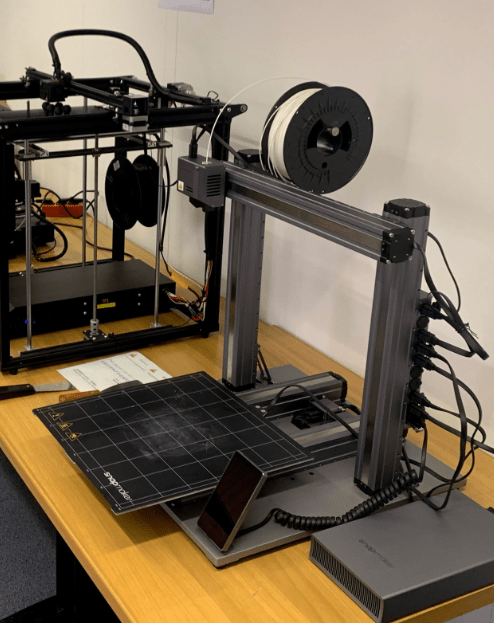
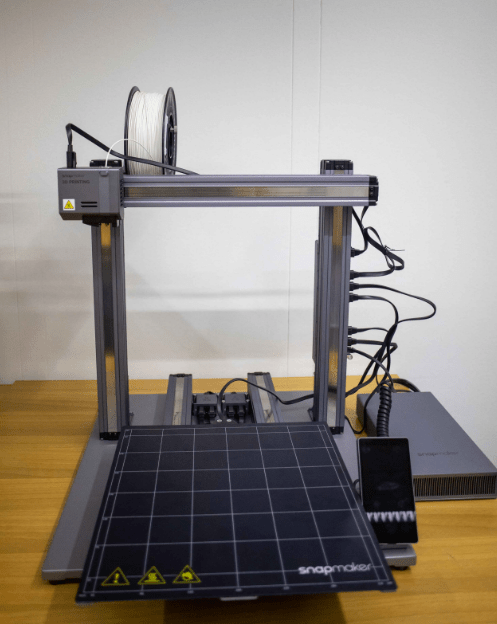
Technical features: (3D printer)
- Technology: FDM Multitool- Multifunctional
- device
- Print head: CNC, LASER, 3D-print
- Nozzle temperature: up to 275 °C
- Heating working surface: up to 80 °C
- Print volume: 320 x 350 x 330 mm
- Filament diameter: 1,75 mm
- Layer height: 0,05 to 0,3 mm
- Material: PLA, PETG, TPU...
Technical features: (CNC)
- Work surface size: 320 x 350 x 275 mm
- Rotation speed: 6.000-12.000 RPM
- Material: wood, acrylic, PCB...
- Drill diameter: 0,5 mm - 6,35 mm
Snapmaker 2 is a combination manufacturing tool that combines 3D printing, laser engraving and CNC machining in one. It allows you to make products from a variety of materials such as plastic, wood and metal, using different modules that can be easily installed and replaced. The Snapmaker 2 is equipped with high quality components and has a precise and quiet working mechanism, allowing for precise and smooth machining of materials. The tool is easy to use and can operate in different operating modes depending on the user's needs. Snapmaker 2 is suitable for a wide range of users, from designers to DIY enthusiasts and craft lovers.
Personal safety:
Each user must follow the safety instructions and use the protective equipment prescribed for the job (goggles, gloves, etc.).
The user should remove loose clothing, necklaces, etc., before use. Long hair should be tied in a ponytail.
The risks to the user are:
- rotating parts of the machine that can grab or hit the user,
- heating elements that can burn the user (3D printer work surface, nozzle),
- untidy and poorly lit surroundings of the 3D printer, which hinder the user's work,
- unprofessional and unwise behaviour by the user,
- not following instructions.
Before you start working on the 3D printer, please follow these instructions:
- Only trained users are allowed to work on the machine,
- persons who show visible signs of alcohol intoxication are prohibited from working on the machine,
- the user must check the condition of the 3D printer and the protective equipment and immediately inform a CTK employee if any defects or malfunctions are detected,
- clean the work area and switch on the necessary lighting.
Please follow these instructions when working on your 3D printer:
- stay away from rotating tools,
- Do not bend over rotating parts of the machine,
- do not remove any devices from the machine while it is running,
- use of the hardware in the Creative Commons is restricted to qualified users only.
When you're finished, you need to:
- switch off all machinery and equipment,
- clean and tidy machinery, tools and surroundings,
- inspect machinery and tools and switch off lights.
General instructions for safe working when operating a CNC machine
- You should only operate a CNC machine if you are properly trained to do so. There should always be at least one other person present to observe the CNC machine.
- Before using a CNC machine, it is necessary to:
- Make sure that the CNC machine is not running while you are placing the workpiece on the work surface.
- Make sure the tools are sharp and free of defects or cracks.
- Double check that all the tools are set up correctly.
- Double-check that you have set the correct information in the software tool.
- Test the tools before each new use.
- Ensure the machine is properly clean before installing new tools.
- Before starting the machine, always make sure that the workpiece is properly secured to the work surface.
- Do not change any settings on the machine or on the tools or accessories unless you have first obtained permission from the instructor (mentor, tutor).
- Secure long hair, jewellery or loose clothing that could get caught or entangled in the moving parts of the machine.
